Spacing & Sizing Indicators is an on-canvas feedback system that enhances clarity and precision for designers working in Wix Studio. By introducing three familiar tools from professional design environments-equal distance on drag, distance between elements on hover, and equal height/width on resize, the feature enables a faster, more intuitive, and more confident design workflow inside the editor.
WIX Studio
The research showed that many of our users - professional designers - preferred to do most of their visual design work in external tools and only then implement it in Wix Studio. This behavior indicated that the editor could better support their workflow by providing familiar design utilities directly on the canvas.
The feature set centers on 3 core spacing and alignment indications that enhance clarity, precision, and ease of use.
01
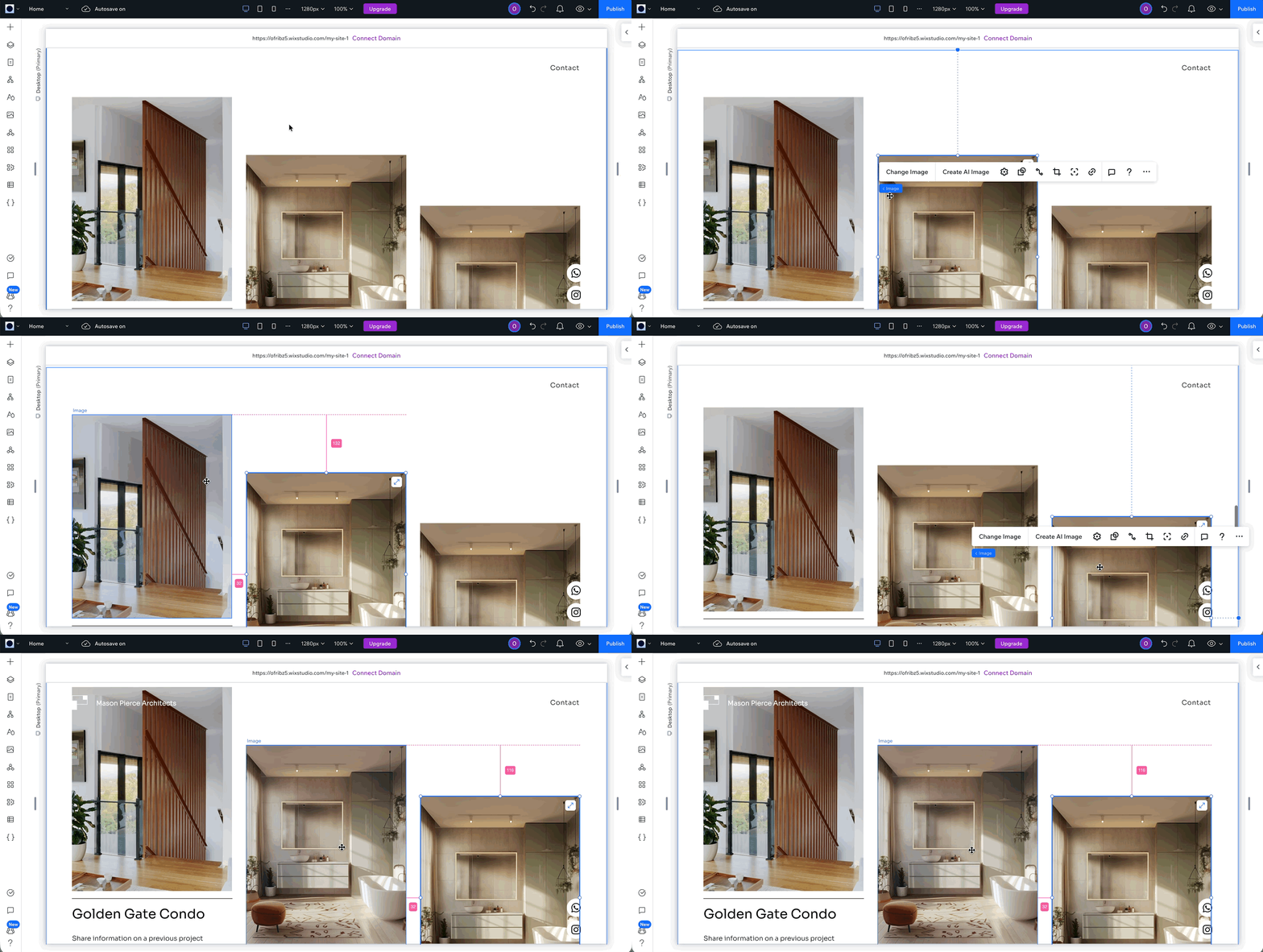
Distance Between Elements
A familiar pattern from tools like Figma/Sketch, revealing exact pixel values on hover.
Guides that appear when resizing an element to match the dimensions of its neighbors.
Real-time indicators that guide users in maintaining even spacing as they move elements
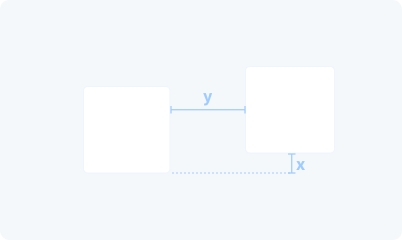
1. Distance Between Elements (Option/Alt + Hover)
A familiar pattern from tools like Figma/Sketch, revealing exact pixel values on hover.
Launched
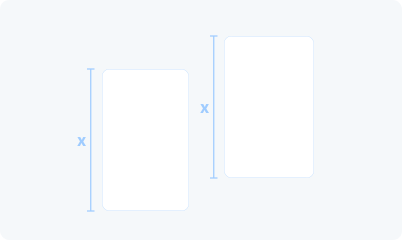
2. Equal Height / Width (On Resize)
Guides that appear when resizing an element to match the dimensions of its neighbors.
Launched
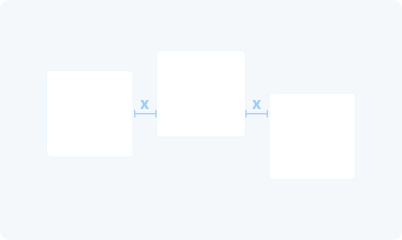
3. Equal Distance (On Drag)
Real-time indicators that guide users in maintaining even spacing as they move elements
In Development
Distance Between Elements

Equal Height / Width
- Community Reactions -